Modify Custom Field

Dear All

“In custom fields, is it possible to create multi-choice subcategories? For example, if I select ‘A’ in the first custom field, the second field shows a list of fruits. If I select ‘B’ in the first field, it shows a list of animals. Or is there another way to do this?”

Thank you

Hi, @muhammad_azhar.

  1. Create field “Category” (“Select one value” type) with a list of values A, B, C, etc.
  2. Create field “Items” (“Select one value” type).
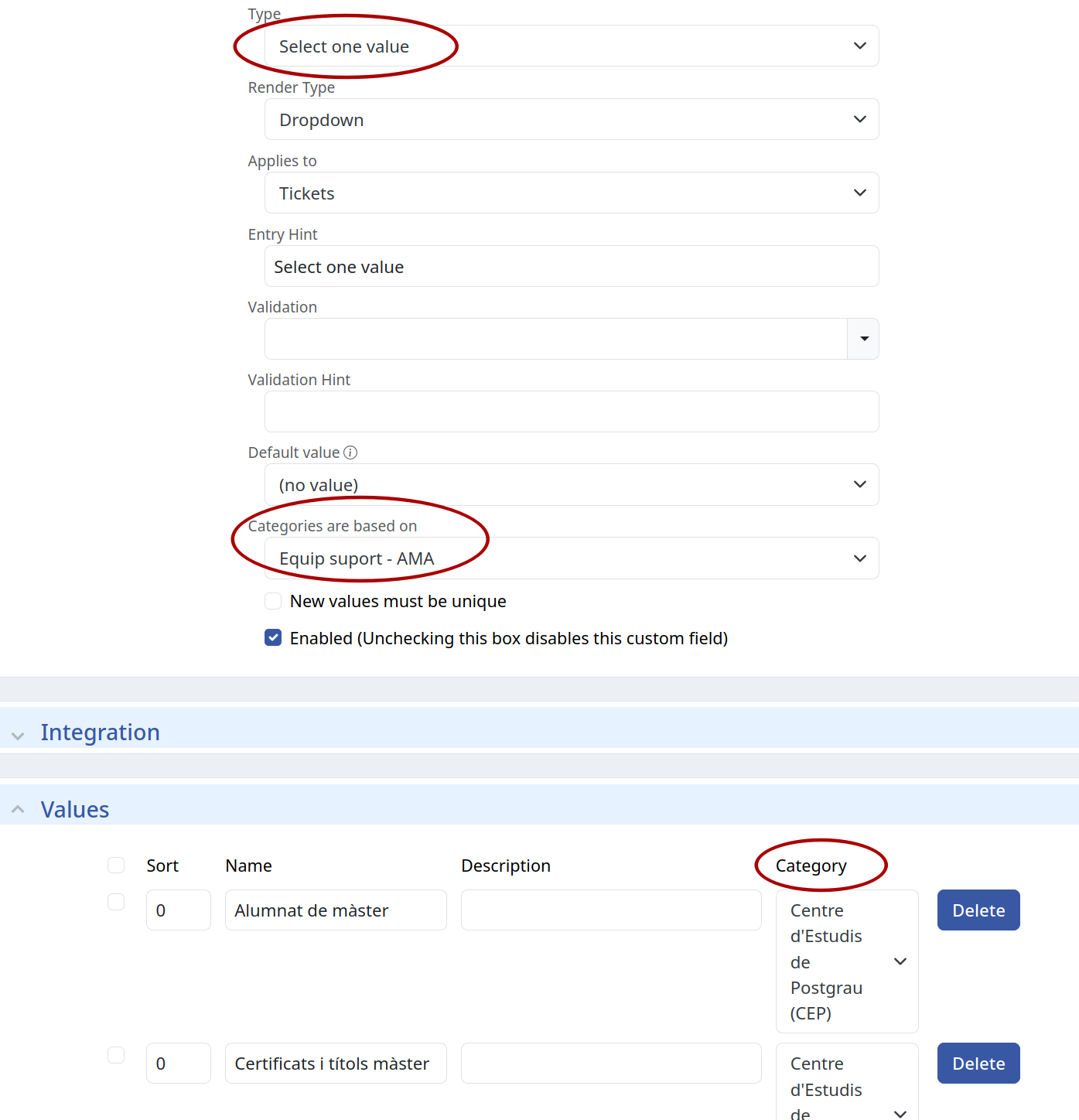
  3. On Basics section from the “items” field you must to select the value “Category” in the field “Categories are based on”. Save.
  4. Now you can add values to “Items” field linked to a value in “Category” field.

This is an example on my test server where the field is named “Equip suport - AMA” instead of “Category”:

I’m sure there are other field types that can handle categories, but I’ve never need them.

2 Likes

SeeCategories are based on in the dependent (“child”) CF’s Basics panel. Select the source (“parent”) CF in the dependent’s pulldown. Then create the mapping in the Values area, which will have an extra Category field.

Hi,

Thank you for your advice and help.

I had no idea this option existed, thanks for sharing.

Does anyone know if we can take the same category logic and use it to show/hide custom fields based on value of the parent field? I have a few busy queues where it would be nice to hide some of the custom fields until a parent field is set.
It’s easy with Creating Custom Forms in Request Tracker – Request Tracker . Users and technicians can have access to several forms with some logic like that you’re asking for, prefilled fields, some others hidden, etc.

1 Like