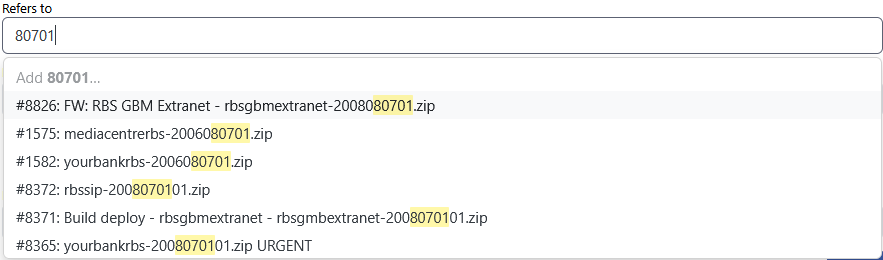
I have a ticket number 80701 that I wish to add as a linked ticket. When I search for that in the Links section “Referred to by” I get the first ten list of tickets that match on the subject but not the exact match to ticket #80701.
Additionally I can’t just type the ticket number in, the UI insists on using one of the list provided.
I’ve worked around this by going to the ticket I want to link and creating the link in reverse so I’m OK for now
Please could the auto complete list always include exact matches and/or the UI allow me to just type in the ticket number?
In the example shown below, a lot of ancient tickets are shown, so the one I want doesn’t appear. The fix that @knation has pointed out will solve the immediate problem, I can just type it in, but it would be useful to see exact ticket matches at the top. Alternatively, expand the hint function to allow one to specify ticket:80701 alongside hints for asset: etc.